Don’t follow ME – Follow these people!
I love to edit video. I love Adobe Premiere Pro. Actually, I love all Adobe products, but Premiere is my jam.
Unfortunately, I don’t get to use Premiere every day. I’m lucky if I get to use it once a week. This means that there is so much about Premiere that I don’t know. So, when I see a neat video trick that I want to include, most of the time I have to find instructions on YouTube. Over the years, I have found several editors on YouTube that are really good. Their instructions have saved me lots of time and prevented a lot of cussing. Very few of these YouTube channels focus on Premiere exclusively; they incorporate a lot of Adobe’s other programs.
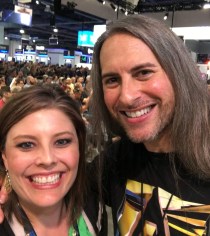
Jason Levine – Jason is the Principal Worldwide Evangelist for Adobe Creative Cloud. Any time I have a chance to watch him at AdobeMAX or National Association of Broadcasters, I go listen. This guy knows Premier/Audition/AfterEffects better than almost anyone. His lessons are at a perfect pace and he explains things really well. He has an entire Audio 101 series of lessons about Audition. This is the guy to follow. Also I fan girled him at NAB last year and got a pic with him, so we’re basically best friends. @Beatlejase
Premiere Gal – She’s just as good as my BFF Jason. She also presents information in a way that’s easy to understand. She goes at a little faster pace, which is sometimes exactly what I’m looking for. Follow her. She’s great. @premiere_gal
Peter McKinnon – Peter does tutorials on photography, videography, editing…he’s great. I like that I can find more instructions than just Premiere on his page. @petermckinnon
Valentina Vee – Valentina isn’t necessarily a Premiere person, but she does great video work. I use her page for inspiration. She’s another person that if she’s speaking somewhere, I try my hardest to go watch her. @valentinavee
Mike Russell – Mike has videos on basically everything you never knew you wanted to do. He has great thumbnail images and is a nice example of a well-managed YouTube page. @imikerussell
Last, but maybe should be first…
Adobe Creative Cloud – There are videos regarding all of Adobe’s products. But if you can’t find it from the makers of the software, where would you find it? @AdobePremiere
Finally, I wanted to provide this link to Jeff Greenberg’s and Abba Shapiro’s presentation from the 2018 AdobeMax. Jeff and Abba provided so many helpful power tips for Premiere. I was in the audience when they recorded this presentation, and I have watched it at least twice since. There is so much helpful information here.
As much as I love to edit in Premiere, I’m no expert. I’m really more of a curator and like to help connect people with helpful sources. So here are my main sources. Happy editing!
 Erica irlbeck